Key Takeaways
- Automated pattern detection — AI finds trends in your data you'd never spot manually
- Daily tips personalized to your baby's actual logged data, not generic age-based advice
- Weekly analysis summarizes trends across sleep, feeding, and development
- Cross-domain connections reveal how sleep affects feeding, behavior, and vice versa
- No manual analysis needed — insights are generated automatically as you log
You log every feeding, nap, and diaper change. But are you actually seeing the patterns in that data? Most parents aren't — because spotting trends across days and weeks requires time nobody has.
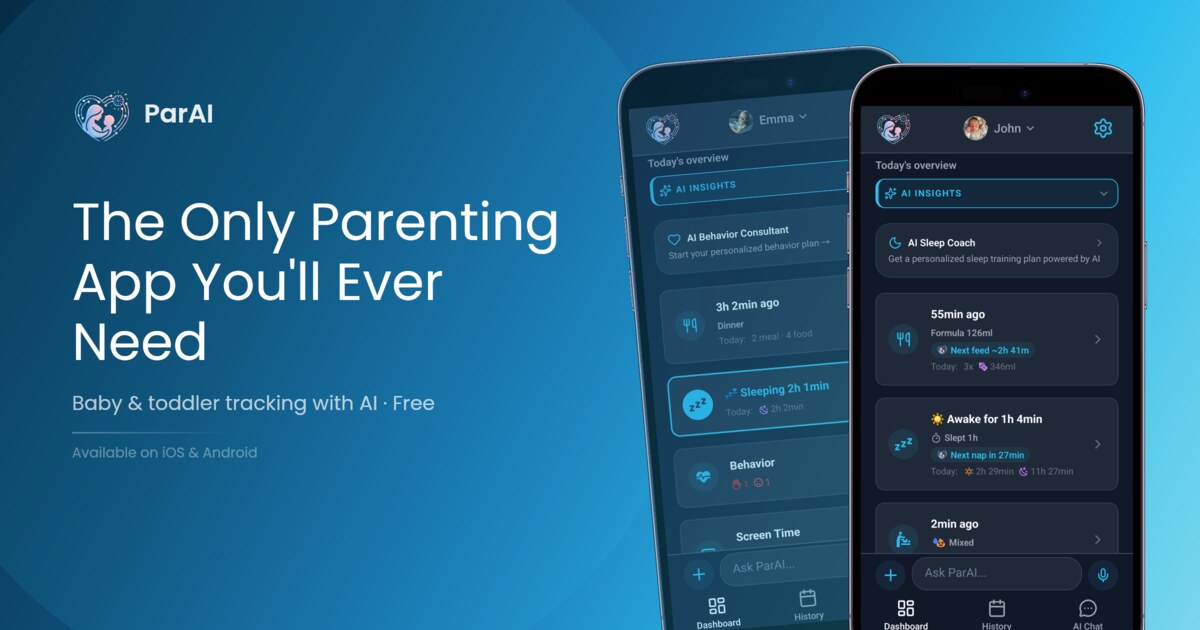
ParAI's AI Insights do the analysis for you. Every day and every week, the AI reviews your logged data, compares it to medical norms, and surfaces actionable recommendations you'd miss on your own.
See also: How SmartSpot Works (real-time predictions) and AI Sleep Coach vs Consultant (coaching features).
What Are AI Insights?
AI Insights are automated analyses of your logged data that surface patterns, trends, and actionable recommendations you'd miss manually. Instead of scrolling through charts trying to figure out why your baby slept poorly, the AI tells you — and suggests what to do about it.
Think of it as having a data analyst who reviews your baby's logs every morning and every Sunday, then sends you a brief with the most important findings.
Daily Insights
Every evening, ParAI analyzes the day's data and generates 1-3 personalized insights. These are specific to what happened today, not generic tips.
Examples of daily insights
- "Baby slept 30min less today — consider earlier bedtime" — The AI noticed total sleep was below your baby's personal average and suggests compensating tonight.
- "Feeding amounts trending up — possible growth spurt" — Three consecutive days of above-average intake triggers this insight, helping you understand increased hunger.
- "3 short naps today — overtiredness likely" — When naps are consistently under 30 minutes, the AI flags the risk of an overtired cycle.
- "Last feed was 45min earlier than usual — watch for early wake" — Timing shifts that might affect overnight sleep.
Weekly Analysis
Every Sunday, ParAI generates a comprehensive weekly report covering:
- Sleep trend summary — Total sleep, nap count, night wakings compared to previous week
- Feeding pattern changes — Volume trends, timing shifts, new foods introduced
- Regression detection — Early warning if patterns match known regression signatures
- Milestone progress — Developmental changes that may explain behavior shifts
- Behavior patterns — For child module: tantrum frequency, triggers, time-of-day patterns
The weekly report gives you the big picture — are things improving, stable, or declining? And if declining, what's likely causing it.
Cross-Domain Connections
This is where AI Insights become truly powerful. The AI doesn't just analyze sleep OR feeding — it finds connections between domains that would take a sleep consultant weeks to identify.
Real examples
- "Tantrums increased 3x on days with <11hr total sleep" — Connecting behavior to sleep debt
- "Short naps correlate with feeds <120ml (4oz)" — Hunger may be causing early wake-ups from naps
- "Screen time >1hr before bed = 20min longer to fall asleep" — Quantifying the screen-sleep connection for YOUR child
These connections are personalized. The AI doesn't say "screen time affects sleep" generically — it tells you exactly how much it affects YOUR child's sleep, based on YOUR data.
How It Works
Behind the scenes, ParAI's insight engine follows a systematic process:
- Data window — The AI analyzes the last 14 days of logged data to identify patterns
- Age comparison — Your baby's patterns are compared to AAP/WHO norms for their exact age
- Deviation detection — Significant deviations from both personal baselines and medical norms are flagged
- Personalized recommendations — Based on what's working and what's not, the AI generates specific, actionable suggestions
The more consistently you log, the more accurate the insights become. After 2 weeks of consistent data, the AI has enough to generate meaningful cross-domain analysis.
Insights vs Generic Advice
| Type | Generic App Tip | ParAI Insight |
|---|---|---|
| Sleep | "Babies need 14hr sleep" | "YOUR baby averaged 12.5hr this week, down from 13.2hr last week — watch for regression signs" |
| Feeding | "Feed every 3 hours" | "Feeds shifted to every 2.5hr this week — consistent with 4-month growth spurt pattern" |
| Naps | "2-3 naps per day at 6mo" | "3rd nap consistently under 20min — ready to transition to 2 naps" |
| Behavior | "Toddlers have tantrums" | "Tantrums peak at 5pm on days with no outdoor play — try 30min park time after lunch" |
Available on Pro and Premium
- Pro ($4.99/mo) — Daily insights + weekly analysis for all tracked domains
- Premium ($9.99/mo) — Everything in Pro + cross-domain analysis + coaching recommendations + AI Sleep Coach + AI Behavior Coach
Free plan users can see their data and charts but don't receive AI-generated insights or recommendations.
Insights get smarter the more consistently you log
The AI needs consistent data to find real patterns. If you log 5 out of 7 days, insights are good. If all caregivers log every event via family sharing, insights become excellent. The difference between "some data" and "complete data" is the difference between generic observations and truly personalized recommendations.
Frequently Asked Questions
How soon do insights start appearing?
Daily insights begin after 3 days of consistent logging. Weekly analysis starts after your first full week. Cross-domain connections require at least 14 days of data across multiple categories (e.g., both sleep and feeding logged consistently).
Are insights always accurate?
Insights are based on statistical patterns in your data and medical guidelines. They're highly reliable for trend detection (e.g., "sleep decreased this week") but correlations (e.g., "short naps correlate with small feeds") should be treated as hypotheses to test, not certainties. The AI flags confidence levels.
Can I turn off insights?
Yes. You can disable daily insights, weekly reports, or both in Settings → Notifications → AI Insights. You can also mute specific insight categories (e.g., only receive sleep insights).
Do insights replace a doctor?
No. AI Insights help you understand patterns and prepare better questions for your pediatrician. They never diagnose conditions or replace medical advice. When the AI detects patterns that warrant professional attention, it explicitly recommends consulting your doctor.
Related reading: AI Behavior Coach for Toddlers and Sleep Regression Guide.
Experience AI-Powered Parenting with ParAI
SmartSpot predictions, natural language logging, AI Sleep Coach, and personalized insights — all in one app. See what AI can do for your family.