Key Takeaways
- Full dark mode designed specifically for night feeds — no bright light to wake your baby
- Reduces eye strain at 3am so you can log activities without squinting
- Large text support for tired eyes that can't focus on small fonts
- High contrast mode for maximum readability in any lighting
- Designed for one-handed use while holding your baby
Why Dark Mode Matters for Parents
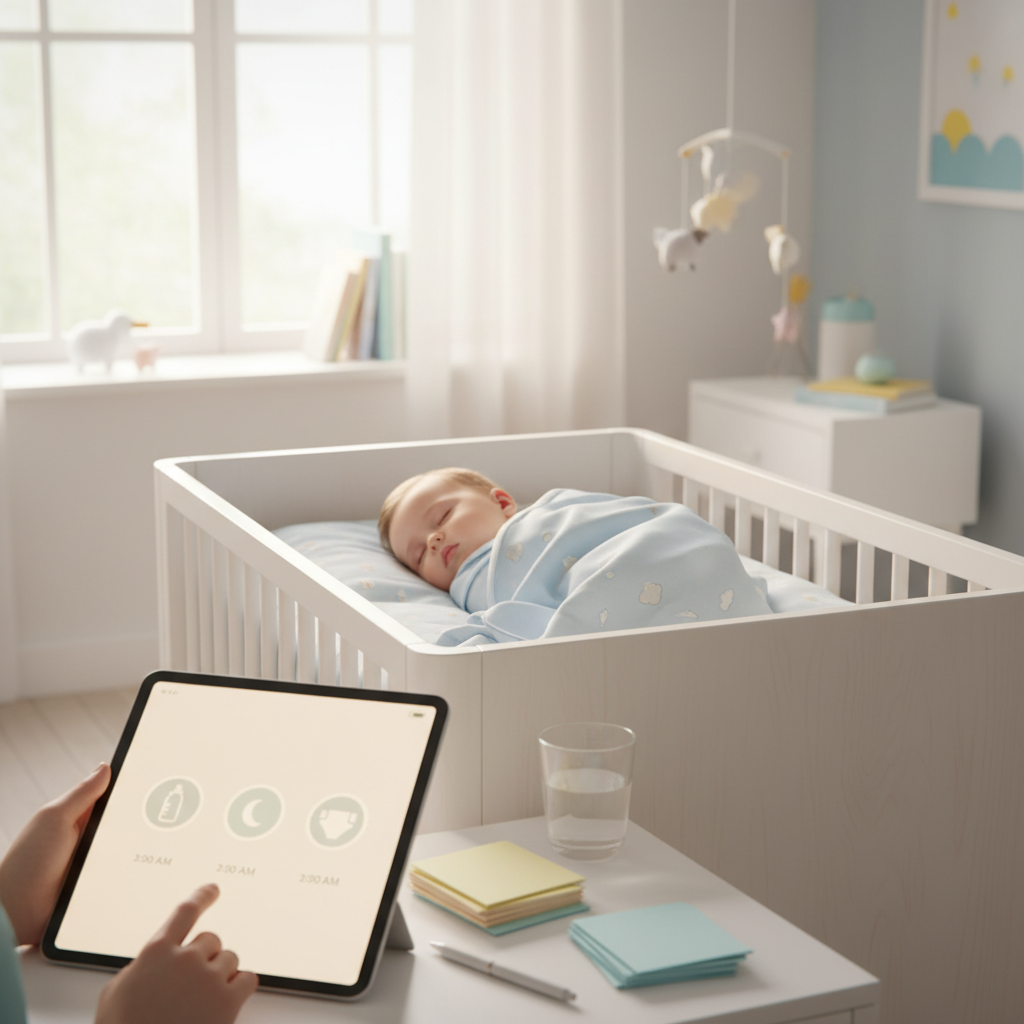
It's 3am. You're feeding your baby in the dark. You reach for your phone to log the feeding — and a blinding white screen lights up the entire room. Your baby startles. Your eyes burn. The peaceful night feed just became stressful.
Bright screens at night cause two problems: they wake your baby with sudden light, and they hurt your dark-adapted eyes. Blue light from screens also suppresses melatonin production, making it harder for both of you to fall back asleep after the feed.
Dark mode solves this. A dark interface emits minimal light, keeping the room dim and your baby undisturbed. Your eyes don't need to readjust, and you can log the feeding in seconds without disrupting anyone's sleep cycle.
This isn't a cosmetic preference — for parents doing 3-5 night feeds, dark mode is a functional necessity.
How to Enable Dark Mode
ParAI offers three theme options:
- Dark — always dark, ideal if you primarily use the app at night
- Light — always light, for daytime-only users
- System — follows your phone's setting automatically (recommended)
To change: Settings → Theme → Dark / Light / System.
With "System" selected, ParAI automatically switches to dark mode when your phone does — typically at sunset if you use automatic scheduling. No manual toggling needed.
Night Feeding Mode
Dark mode combined with natural language input creates what we call "night feeding mode" — the fastest way to log activities in the dark.
Instead of navigating bright menus and tapping through forms, you simply type:
- "fed 120ml" — logs a 120ml bottle feeding at the current time
- "nursed 15 min left side" — logs a nursing session
- "diaper wet" — logs a wet diaper change
The dark interface means minimal light emission. Natural language means minimal taps and no menu navigation. Together, you can log a feeding in under 5 seconds without fully waking up.
Learn more about natural language logging: Natural Language Baby Tracking.
Pro tip: Dark mode + low brightness
For the ultimate night feeding setup, combine dark mode with your phone's lowest brightness setting. This produces barely any light — enough to see the screen but not enough to disturb your baby or fully wake you up. Some phones also have an extra-dim accessibility setting that goes even lower.
Accessibility Features
ParAI is built to be usable by every parent, regardless of visual ability or physical constraints:
- Large text support — respects your phone's text size settings. Increase system font size and ParAI scales with it.
- High contrast mode — enhanced color contrast for users with low vision or in bright sunlight.
- Screen reader compatible — all buttons, inputs, and navigation elements are properly labeled for VoiceOver (iOS) and TalkBack (Android).
- One-handed operation — all primary actions are reachable with one thumb. Critical for parents holding a baby.
- Minimal taps needed — natural language input means you can log any activity with a single text input instead of navigating multiple screens.
Designed for Sleep-Deprived Parents
When you're running on 4 hours of broken sleep, cognitive load matters. Every extra tap, every confusing menu, every tiny button is a barrier. ParAI is designed with exhausted parents in mind:
- Big tap targets — buttons are large enough to hit accurately even when your coordination is impaired by fatigue.
- Natural language input — type what happened instead of navigating through menus. No decisions about which screen to open.
- One-tap timer — start and stop sleep or feeding timers with a single tap. No confirmation dialogs.
- Minimal cognitive load — the dashboard shows what matters now. No information overload.
- Smart defaults — the app remembers your last feeding type, preferred units, and common patterns. Less to think about each time.
See how offline mode ensures zero lag at 3am: Offline Baby Tracking.
Unit Preferences
Set your preferred units once and they're used everywhere in the app:
- Volume — milliliters (ml) or ounces (oz) for feeding amounts
- Weight — kilograms or pounds for growth tracking
- Height — centimeters or inches
- Temperature — Celsius or Fahrenheit for health logging
Change anytime in Settings → Preferences. All historical data displays in your chosen units — no mental math needed at 3am.
Frequently Asked Questions
Does dark mode save battery?
Yes, on phones with OLED or AMOLED screens (most modern phones). Dark pixels are literally turned off on these displays, reducing power consumption by 15-30% compared to a white interface. On LCD screens, the savings are minimal but dark mode still reduces eye strain.
Can I schedule dark mode?
ParAI's "System" theme option follows your phone's dark mode schedule. On iOS, go to Settings → Display → Automatic (sunset to sunrise or custom schedule). On Android, Settings → Display → Dark theme → Schedule. ParAI will switch automatically.
Does dark mode work on all screens?
Yes. Every screen in ParAI — dashboard, chat, feeding log, sleep timer, history, settings, and all others — fully supports dark mode. Charts and graphs also adapt with appropriate colors for dark backgrounds.
Related: Safe Sleep & SIDS Prevention — keeping the room dark matters for safe sleep too.
Experience AI-Powered Parenting with ParAI
SmartSpot predictions, natural language logging, AI Sleep Coach, and personalized insights — all in one app. See what AI can do for your family.